LiDAR point cloud annotation looks deceptively straightforward: draw a cuboid around an object, adjust its dimensions, move to the next frame. But one variable quietly undermines annotation quality across nearly every autonomous driving dataset, and it has nothing to do with annotator skill. It is point density.

As objects move farther from the sensor, the number of LiDAR returns they generate drops sharply. A vehicle at 20 metres might register hundreds of points; the same vehicle at 90 metres might return fewer than ten. At that density, even an experienced annotator cannot be certain whether a cuboid is correctly placed or slightly misaligned. Without a systematic way to flag this uncertainty, the problem stays invisible until QA, or worse, until it surfaces in model performance.
Minimum LiDAR Point Density is iMerit’s answer to that problem. Built into the 3D Multi-Sensor Fusion Labeling Editor, it gives annotators and project managers a shared, objective signal for annotation confidence, calibrated to distance and object class, and surfaced in real time without interrupting the labeling workflow.
What the Feature Actually Does
Minimum LiDAR Point Density is a continuous monitoring layer that runs in the background of every active task. The system tracks the number of LiDAR points within each 3D cuboid annotation and compares that count against a configurable threshold based on the object’s distance from the ego vehicle.
When the point count falls below the threshold for that distance band, a non-blocking visual cue appears on the affected cuboid in the timeline, citing the frame numbers. Once the point count returns within the permitted range, the cue clears automatically.
Point density thresholds are set at the project workflow level. If a customer has not defined specific values, iMerit can recommend starting points based on the sensor suite, object classes, and operational environment.
Where Sparse Point Clouds Actually Occur
During LiDAR point cloud annotation, sparse returns show up in predictable situations: distant vehicles or pedestrians near the boundary of sensor range, partially occluded objects, adverse weather captures where fog or rain attenuates density across all distances, and small object classes like cyclists that produce fewer returns than large vehicles even at equivalent range.
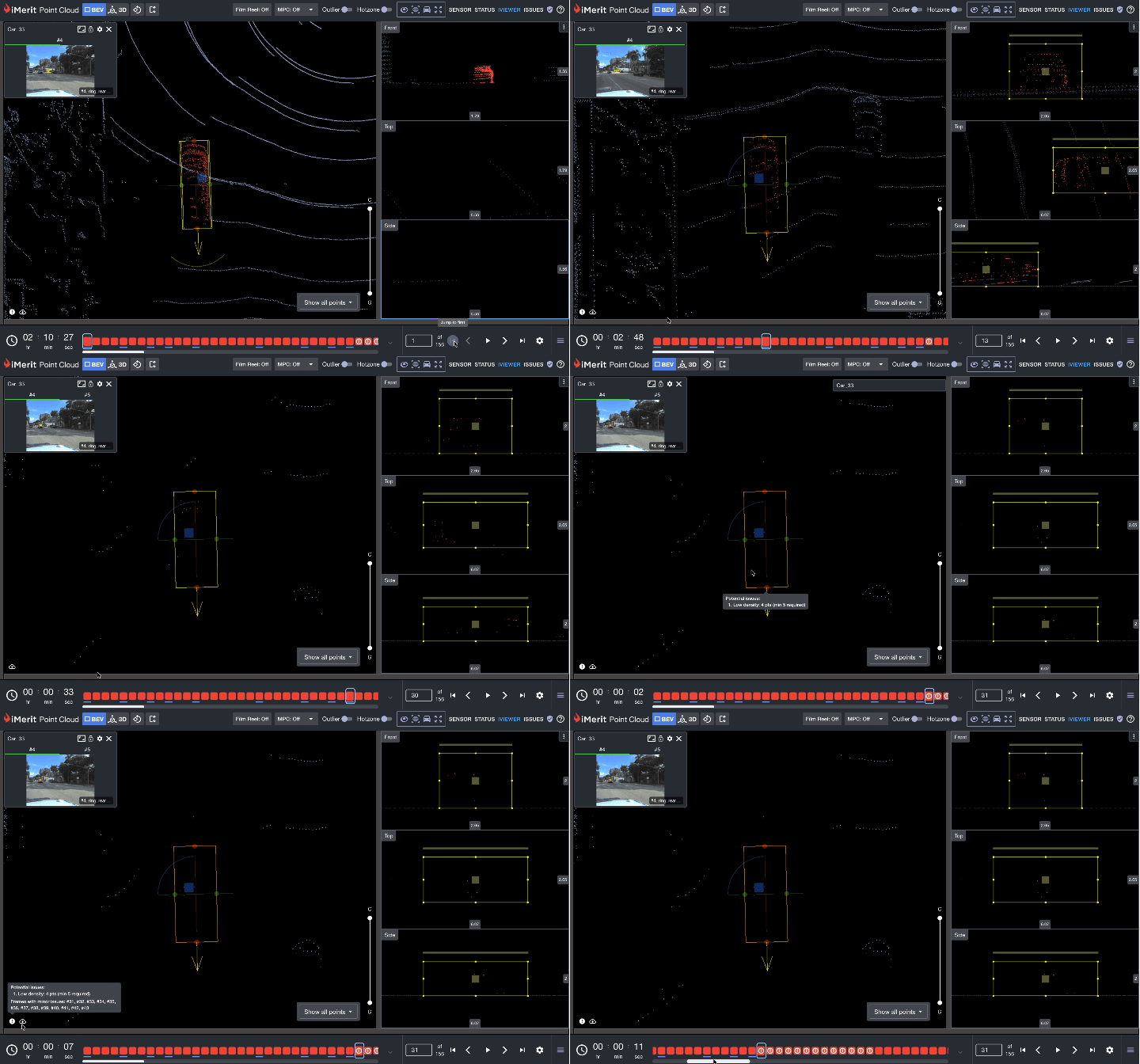
It is worth noting that sparse point counts are not always a distance problem. When an object is close to the ego vehicle yet still returns fewer points than the configured threshold, that is a meaningful signal in itself. At close range, a low point count almost certainly indicates occlusion. For model training, this context is valuable: if a car at short range does not meet the expected point count, the model learns to associate that pattern with occlusion rather than treating it as an annotation error. Surfacing these cases systematically through the point density check adds a layer of scene understanding that benefits downstream model performance.
In all of these cases, the annotation may be geometrically reasonable yet too sparse to support high-confidence placement. Without an annotation quality check, that ambiguity stays invisible to reviewers unless they inspect every frame manually.
Benefits Across the Pipeline
For annotators, the feature works as a real-time annotation quality check without adding friction. Warnings appear only when a threshold is violated, so the workflow is never blocked. Each warning cites frame numbers, letting annotators jump directly to the issue rather than searching through a long sequence. Rather than relying on intuition to distinguish a genuine data limitation from a misplaced cuboid, annotators have a clear, objective signal.
For project managers, thresholds can be configured to mirror customer quality guidelines exactly, which means problems are caught at labeling time rather than during delivery. The audit trail the feature creates is equally valuable: warnings remain visible to QA reviewers after task submission, giving reviewers the context they need to interpret low-density annotations rather than flagging them as errors outright.
How to Configure and Use It
Step 1: Open your project recipe settings. Navigate to the Sanity Checks section within your project’s category schema.
Step 2: Define your distance bands. Set bands based on your sensor’s effective range, for example, up to 30 m, 30 to 60 m, 60 to 100 m, and 100 m and beyond.
Step 3: Set minimum point counts per class. Assign a minimum point count threshold for each distance band per object class, then save and publish. Thresholds take effect immediately on task reload.
Step 4: Annotate as usual: From the annotator’s side, nothing changes in the workflow. Work through 3D cuboid annotation as usual. The system monitors density in the background and surfaces a visual cue when a violation is detected.
Step 5: Review and submit. Violations are non-blocking, so tasks can be submitted with active warnings, which remain on record for QA.
Getting Configuration Right
Start with conservative thresholds and relax them based on annotator feedback and QA outcomes. Align distance bands to the actual effective range of your sensor suite rather than arbitrary numbers. Set thresholds per object class: pedestrians and cyclists return fewer points than large vehicles at the same distance, so a single threshold across all classes will either over-flag vehicles or under-flag smaller objects.
For sequences with known sensor degradation caused by fog, rain, or direct sunlight, consider a dedicated project rather than adjusting thresholds globally. And if you are unsure of appropriate starting values, iMerit can provide recommendations based on your sensor specifications before the project goes live.
The Bigger Picture
Point density has always been a known challenge in LiDAR point cloud annotation. What Minimum LiDAR Point Density changes is that this challenge becomes systematic rather than tacit, encoded in thresholds, surfaced in real time, and preserved in the task record. Annotators know when they are working with a sparse point cloud. Project managers have a consistent record of where data quality was limited. QA reviewers can interpret low-density annotations in context.
For datasets where model performance at range is critical, that shared understanding translates directly to better training data and fewer surprises downstream.
To see how iMerit has handled LiDAR and 3D point cloud annotation at scale for a leading autonomous vehicle program, read the full case study.
Want to configure point density thresholds for your project? iMerit’s team can recommend starting values based on your sensor specifications and operational environment. Reach out to discuss your annotation workflow and data quality requirements.