Ango Hub continues to expand its capabilities for teams working on complex visual asset labeling projects. Among its latest additions, the Skeleton Annotation Tool stands out as a meaningful upgrade for anyone building datasets that require precise structural information rather than simple object detection.
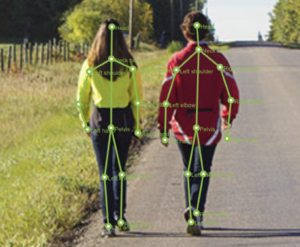
This blog walks through what the skeleton annotation tool does, how to configure it, and why it matters for your computer vision pipeline.
What Is the Ango Hub Skeleton Annotation Tool
The skeleton annotation tool is a specialized labeling tool that lets annotators create linked point annotations on images and videos. Rather than marking isolated coordinates, the tool allows you to define a network of named points connected by lines, forming a skeleton structure that captures spatial relationships between body parts, object segments, or any other multi-point subject.
What makes it particularly powerful is the ability to assign unique attributes to each point within a single skeleton structure, going well beyond what simple coordinate-based tools can offer.
How to Configure Your Skeleton Class in Ango Hub
Getting started requires a few steps in your project settings:
1. Adding the Class
Navigate to your project’s Settings and open the Category Schema. From there, add a new category and select Skeleton as the annotation type. This makes the tool available in the labeling editor for that project.
2. Defining the Skeleton Structure
Once the category is created, use the Define Skeleton dialog to build your skeleton template. This is where the skeleton structure definition happens. You place points manually on a canvas and assign each one a specific name, such as “left shoulder,” “right knee,” or any label relevant to your use case. This definition becomes the template that annotators work from, so time spent here directly improves consistency across your dataset.
3. Connecting the Dots
After placing and naming your points, use the Connect Points feature to draw the relationships between them. These connections establish the skeleton’s structure and are preserved across all annotations made with that class. For human pose estimation, this might mean connecting the shoulder to the elbow to the wrist. For industrial or object-level use cases, connections might represent joints, hinges, or structural links between components.
Full setup documentation is available at docs.imerit.net/labeling/labeling-tools/tools/skeleton.
Adding Point-Level Attributes to Individual Points
One of the more distinctive features of the skeleton annotation tool is point-level attributes. Rather than attaching a single classification to the skeleton as a whole, you can add individual metadata fields to each point within the skeleton structure definition.
Supported attribute types include:
- Radio Buttons: For mutually exclusive classifications, such as whether a joint is visible or occluded.
- Text Fields: For free-form notes or identifiers.
- Dropdowns: For selecting from a predefined list of values specific to that point.
This level of granularity enables richer datasets, particularly for applications where the state or quality of each point matters independently, such as occlusion detection in human pose estimation or condition tagging in medical imaging annotation. Point-level attributes give teams far more control over the metadata captured at the annotation stage, directly benefiting downstream model training.
The Labeling Workflow in Ango Hub
Once the skeleton class is configured in Ango Hub, the visual asset labeling process is straightforward.
Placement
Annotators select the skeleton annotation tool from the labeling panel and place the predefined skeleton onto the asset. The full structure, including all named points and connections, appears at once, ready to be adjusted.
Manipulation
The skeleton can be moved or resized as a whole unit to fit the subject quickly. For fine-grained alignment, annotators can double-click to enter point-level editing mode, where each point can be repositioned independently for precise placement.
On-the-fly Classification
During visual asset labeling, right-clicking on a specific point opens the attribute panel for that point. Annotators can apply the relevant point-level attributes without leaving the editing context, keeping the workflow efficient even when capturing detailed metadata across many points. This combination of bulk manipulation and individual precision makes the tool well-suited for high-volume annotation tasks where both speed and accuracy are priorities.
Why Use the Skeleton Annotation Tool for Your Next Project?
The skeleton annotation tool adds meaningful capability for teams building computer vision models that need to understand structure, not just detect objects.
For human pose estimation, it enables consistent labeling of body keypoints using a predefined skeleton structure, with per-point attributes such as visibility or occlusion. In sports analytics, this allows teams to track athlete motion across frames, analyze biomechanics, and compare movement patterns over time.
For robotics and manufacturing, the tool can represent articulated systems by defining joints and connections between components. Annotators can model how parts relate and move, supporting applications such as assembly tracking, motion planning, and robotic manipulation.
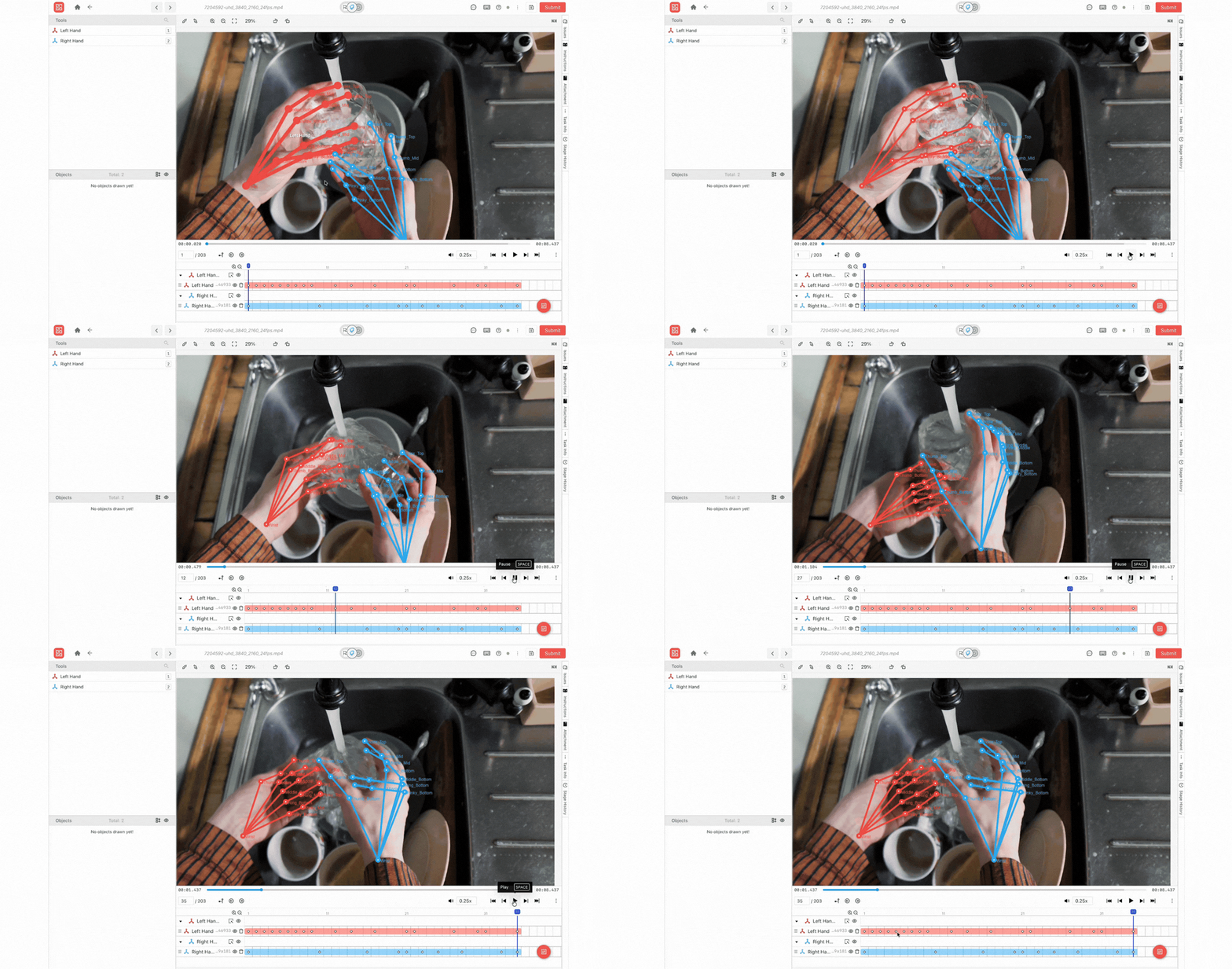
In egocentric video workflows, where data is captured from a first-person perspective using wearable cameras, models must understand fine-grained hand movements, object interactions, and spatial relationships. Using the skeleton annotation tool within Ango Hub, teams can define hand keypoints, finger joints, and interaction points, enabling precise annotation of tasks such as grasping, tool use, and object manipulation.
Annotators can adjust individual points while preserving the overall structure, allowing accurate capture of dynamic interactions across frames. When combined with egocentric video data collection pipelines, this structured annotation helps train embodied AI and robotic systems to better interpret and replicate real-world human behavior.
In medical imaging, skeleton-based annotation supports the mapping of anatomical landmarks and joint relationships. By attaching attributes to individual points, teams can capture additional clinical context such as visibility, condition, or alignment, enabling more structured datasets for applications like rehabilitation tracking or orthopedic analysis.
Because the tool is available across all visual asset types in Ango Hub, the same skeleton class can be applied consistently whether annotating still images or video sequences. Defining the skeleton structure once at the project level and reusing it across large datasets reduces annotator variability and directly improves model performance.
For the full list of recent Ango Hub capabilities, visit the changelog at ango.ai/changelog/5.5.
The skeleton annotation tool reflects iMerit’s ongoing commitment to providing annotation infrastructure that matches the sophistication of modern computer vision workflows. If you are planning a project that requires structural labeling, talk to an expert to explore how Ango Hub can support your needs.